

Kyung Hee University Open Lab
About the Open Lab
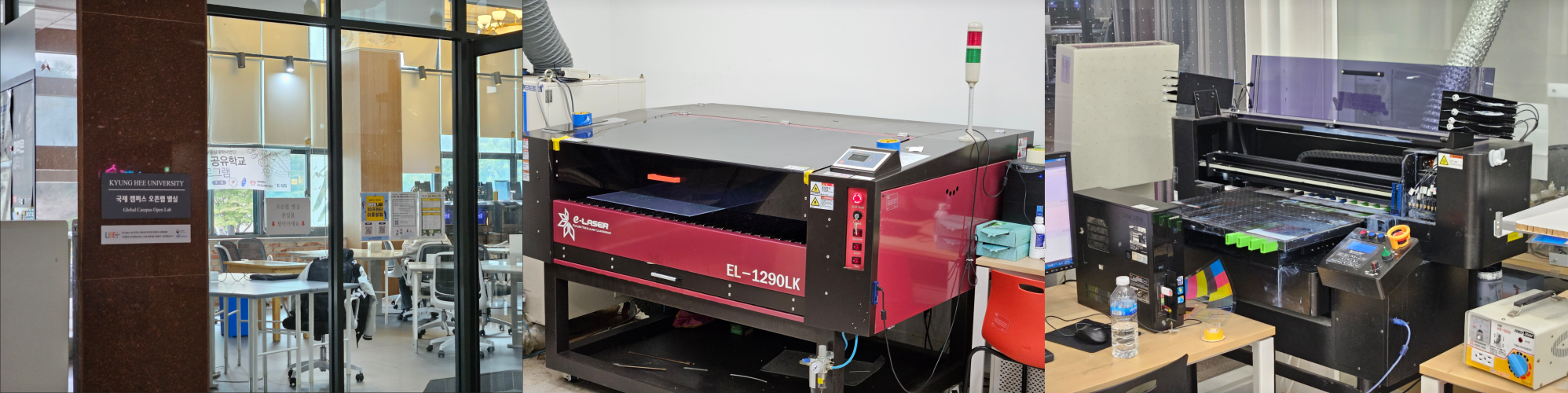
Located in the Student Union Building on the International Campus of Kyung Hee University, the Open Lab is a facility that supports prototype and coursework production. It is equipped with various facilities such as 3D printing, laser cutting, and UV printing, and is working to foster many makers through various maker education events.
Open Lab 3D Printing Service
Eligible Users
- Students of Kyung Hee University who need to produce coursework
- Those who need graduation projects or prototype production
- Those who want to use 3D printing at a low cost
How to Use
The 3D printing service operates through an online order submission method.
Please refer to the guide below for how to submit an order.
Pricing
The Open Lab 3D printing service is provided at an average cost of about one-third of that of general private 3D printing services.
This is because the Open Lab is operated on an unmanned basis, minimizing labor costs.
However, due to the nature of the operation, processing work and responding to inquiries may take time.
Turnaround Time
Although it varies depending on printing time and order volume, it generally takes about 2 to 3 days.
However, the production period may be longer during the following periods.
- Assignment submission periods
- End-of-semester and exam periods
In such cases, it may take up to about one week, so please place your order with enough time in advance.
*If you need urgent work, you may use the expedited production service through MadeAll3D Daegu Branch.
*Based on business days after order confirmation and payment completion
Supported Method and Material
The Open Lab 3D printing service is provided only under the following conditions.
- Printing method : FDM
- Material : PLA
- Color : White
- Maximum single print size : 220 x 220 x 250 (mm)
How to Pick Up Printed Items
Completed printed items may be picked up directly at the Open Lab site.
When you enter through the main entrance of the Student Union Building, you can immediately see the 3D printing equipment in front of you.
Completed printed items are generally left next to the printer while attached to the bed (the plate to which the printed item is attached).
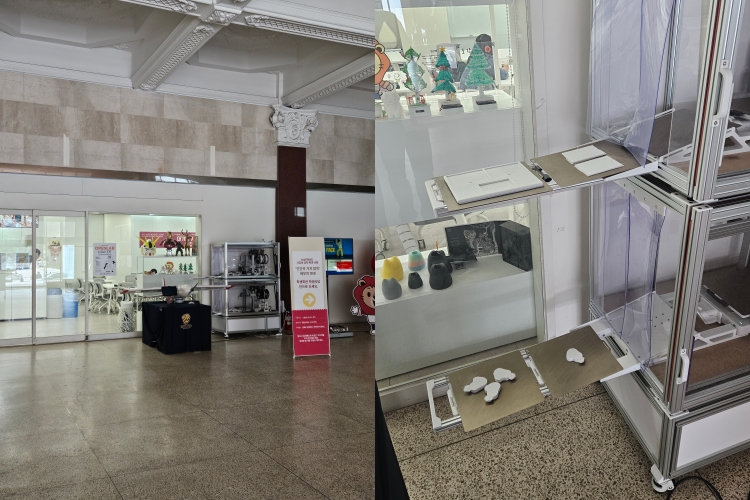
The pickup method is as follows.
- Check your printed item.
- Slightly bend the bed to remove the printed item.
In most cases, the bed has cooled down after printing is completed, so the item can be removed easily without applying much force.
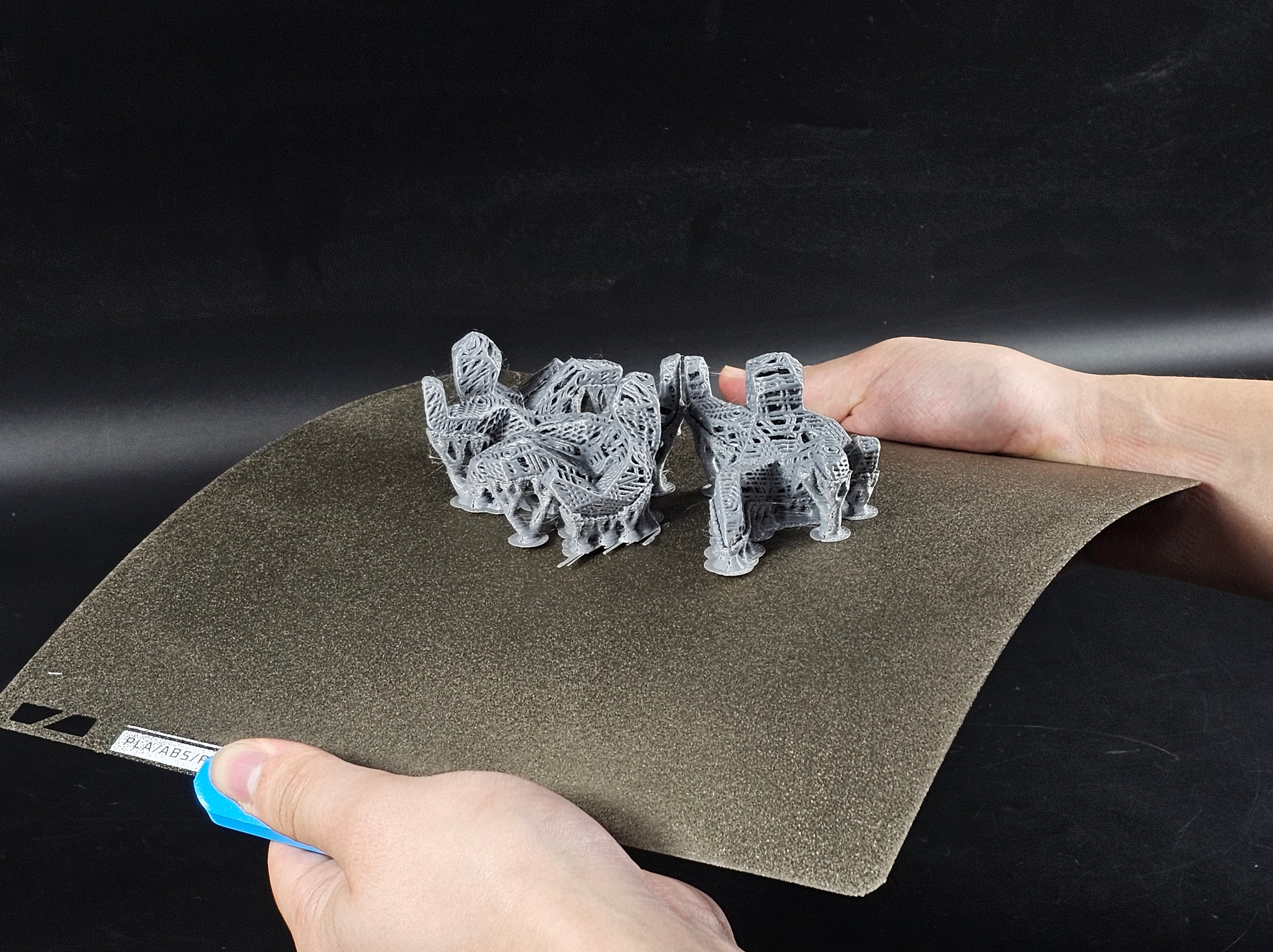
- Please place the bed back in its original position.
- After taking your printed item, please leave a message in the chat room.
Notes for Pickup
- Immediately after printing is completed, the bed may be hot, so please be careful to avoid burns.
- If the printed item does not come off easily, do not force it off. Please contact the person in charge.
- During Open Lab operating hours, a staff member may remove printed items and place them on the table next to the printer.
- If your printed item is not visible, it may have been removed from the printer and stored by a staff member in advance.
In this case, please enter the Open Lab and ask the person in charge. - If your printed item is together with someone else's printed item, please place the other person's printed item on the table next to it.
- Printed items that are not picked up for more than 2 weeks after completion will be disposed of.
Post-Processing Guide
In the case of Kyung Hee University Open Lab, the service operates only through unmanned printing, so pickup and post-processing of printed items are self-service.
Depending on the 3D printed model, removal of the brim (edge) and support structures may be necessary. Please refer to the guide below for basic post-processing methods.
[3D Printing Post-Processing Guide]
Open Lab Location
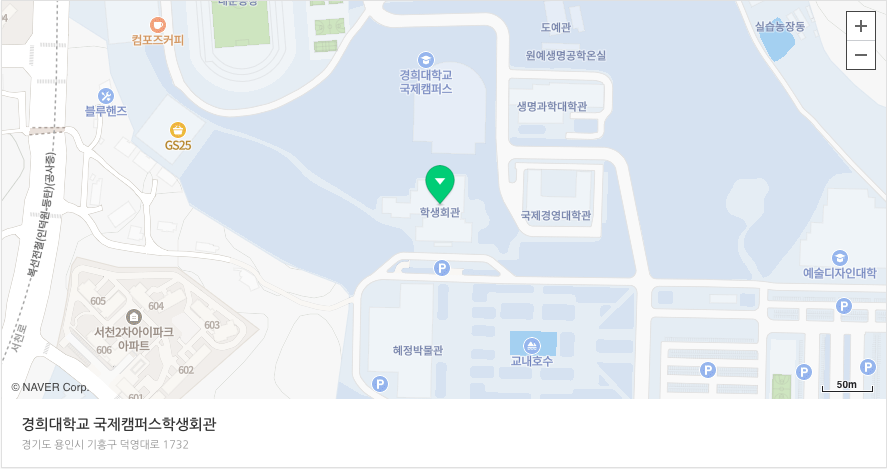
The Open Lab is located on the 1st floor of the Student Union Building on the International Campus of Kyung Hee University.
When you enter through the main entrance of the Student Union Building, you can see the Open Lab space directly in front of you.
In addition, the separate room space on the left side based on the main entrance of the Student Union Building may be freely used if you need to study or work.
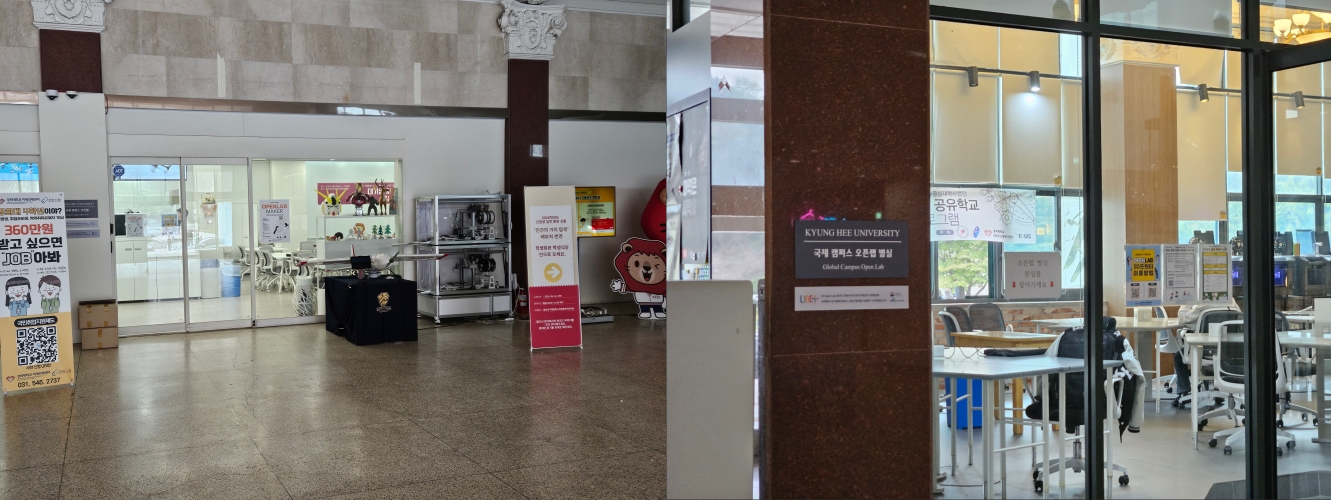
Open Lab Facilities
The equipment handled at the Open Lab is as follows.
- 3D printer (FDM 3D printing, single color, ordered through MadeAll3D)
- UV printer (printing stickers, posters, etc., inquire directly with the Open Lab)
- Laser cutter (CNC work such as acrylic and plywood, inquire directly with the Open Lab)
Open Lab Operating Hours
Open Lab operating hours are 09:00 to 17:00 on weekdays.
The printing equipment operates unmanned at all times, but on-site inquiries, equipment support, and use of other equipment are available only during weekday operating hours.
Open Lab Contact Information
General Open Lab inquiries: 031) 201-3075
Order and printing inquiries: MadeAll3D chat service